
Subtotal $0.00
Quick Answer
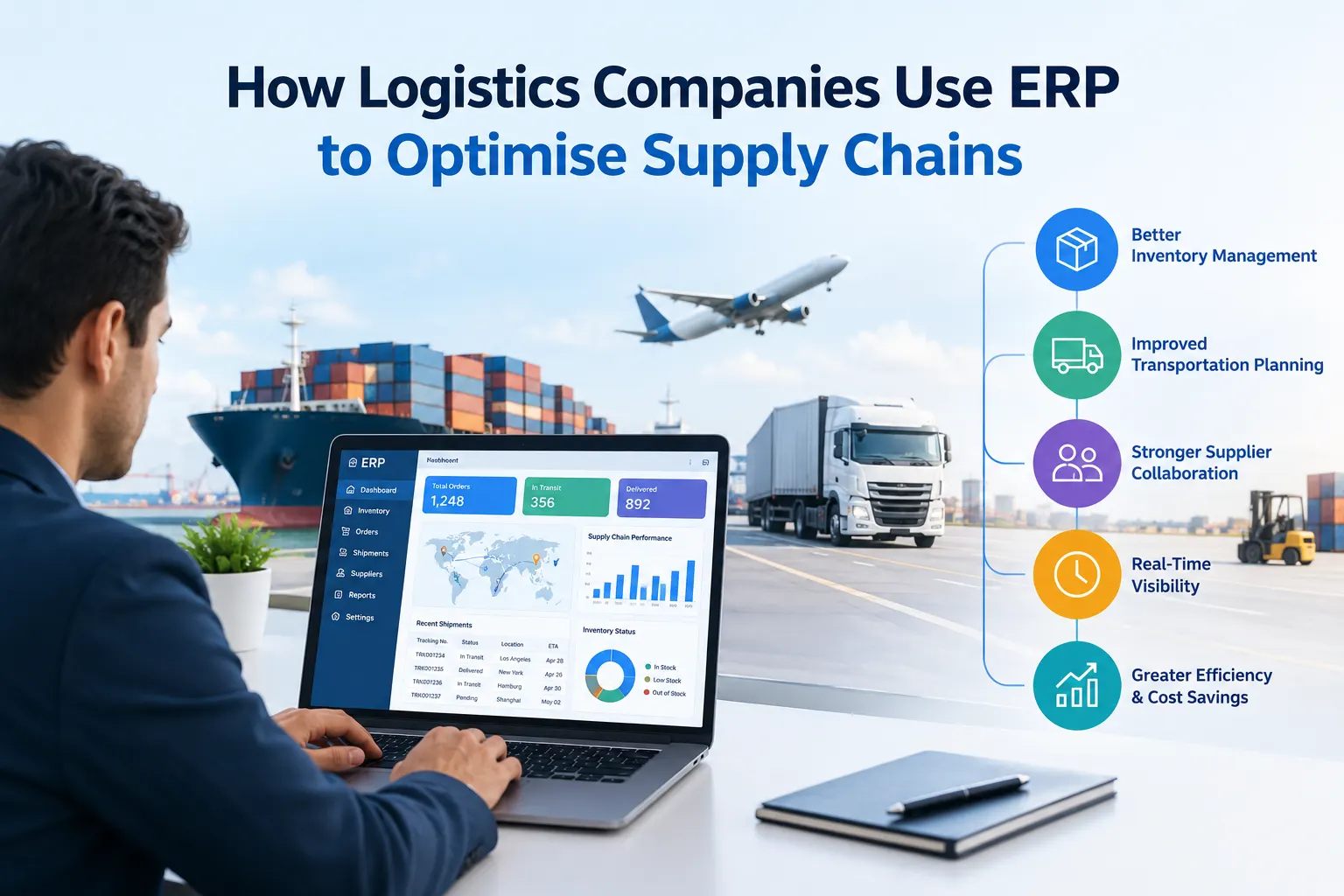
Logistics companies use ERP (Enterprise Resource Planning) software to put inventory, warehousing, purchasing, finance, transport costs, and customer orders into one system. That gives them a single source of truth. They can then plan demand, direct warehouse work, cut manual data entry, track costs per shipment or customer, and make faster decisions. In the UK, cloud ERP platforms such as Microsoft Dynamics 365 Business Central are a popular choice for small and mid-sized logistics businesses because they connect with Microsoft 365, Power BI, and Copilot AI.
Key Takeaways
- ERP replaces disconnected spreadsheets and standalone tools with one connected platform.
- Logistics firms see the biggest gains in warehouse control, inventory forecasting, cost visibility, and automation.
- ERP is strongest inside the business. Visibility with external partners usually needs integrations (EDI, APIs, and telematics).
- A UK-based Microsoft Dynamics 365 partner can shorten implementation time and reduce risk.
Why Do Logistics Companies Need ERP?
Logistics margins are tight. Delays, stock errors, double handling, and poor data quality all eat into profit, and they usually come from disconnected systems: one tool for orders, another for stock, another for invoicing, and spreadsheets to bridge the gaps.
The UK market shows how much room there is to improve. A YouGov survey for HERE Technologies and AWS found that only 50% of UK logistics firms use even basic data analytics. The same research found that 76% of UK companies would rather buy ready-made solutions from external providers than build capabilities in-house. For many firms, an established ERP platform implemented by an experienced partner is the fastest way to close that gap.
How Do Logistics Companies Use ERP to Optimise Supply Chains?
Here are the six main ways.
1. Warehouse management and stock control
ERP records what is in the warehouse, where it is, and where it should go next. In Business Central, directed put-away and pick functionality suggests the most appropriate bin for items based on put-away templates, bin rankings, and minimum and maximum quantities for fixed bins.
For a 3PL or distributor, this means:
- Fewer mis-picks and misplaced pallets
- Faster put-away and picking routes
- Storage rules by item class, volume, or handling need
- Accurate, real-time stock levels for customers
Microsoft’s documentation also notes that directed put-away and picking give access to advanced warehouse configuration features that can greatly improve efficiency and data reliability.
2. Demand forecasting and inventory optimisation
Overstocking ties up cash and understocking loses customers. Modern ERP uses historical data to forecast demand. Business Central’s sales and inventory forecasting extension uses AI to predict future sales from actual sales history and gives replenishment suggestions based on those forecasts. Microsoft’s guidance is to forecast by month over a 12-month horizon, and more data gives more accurate predictions.
3. Automated purchasing and replenishment
ERP can raise purchase orders when stock reaches a reorder point. It can also match incoming supplier invoices to orders, so your team spends less time on manual keying. Business Central’s Copilot includes e-invoice matching that compares and maps incoming e-invoices to open orders, which keeps accounts payable current.
4. Cost visibility by route, customer, contract, or shipment
Because finance and operations share one database, logistics managers can see true profitability, not only revenue. Teams can:
- Allocate fuel, labor, storage, and subcontractor costs to jobs
- Compare contract profitability
- Spot loss-making customers or lanes
- Speed up month-end reporting
5. Real-time reporting and AI-assisted insight
Dashboards in Power BI and Copilot in Business Central turn raw data into decisions. Copilot can turn raw data into clear views with totals, grouping, pivots, and filters from simple text instructions and identify trends and anomalies. Managers can ask questions in plain English instead of waiting for a report from IT.
6. Better collaboration across Microsoft 365
Business Central works with Outlook, Teams, and Excel. Staff can handle approvals and customer queries in tools they already use, which helps adoption. Adoption is one of the biggest factors in whether an ERP project succeeds.
What ERP Can’t Do Alone: Supply Chain Visibility
ERP is excellent inside your own four walls, but visibility across suppliers, carriers, and customers usually needs extra connectivity. An earlier GT Nexus study found that 60% of respondents were confident in ERP for visibility within the enterprise, but only 34% for visibility with suppliers and customers. HERE’s research shows the same challenge in logistics: only 19% of transport and logistics professionals use location data, IoT, and sensor technology for better visibility.
The practical answer is to connect your ERP to:
- Transport management systems (TMS)
- Telematics and GPS tracking
- EDI or API links with customers and carriers
- Barcode and handheld scanning
- Power BI for combined reporting
A good implementation partner designs these integrations at the start rather than bolting them on later.
Comparison: Logistics Operations Before and After ERP
| Area | Without integrated ERP | With ERP (e.g., Dynamics 365 Business Central) |
|---|---|---|
| Inventory accuracy | Spreadsheets, manual counts | Real-time stock by location and bin |
| Warehouse operations | Paper picks, ad hoc put-away | Directed put-away and pick, bin rules |
| Forecasting | Gut feel, static reorder levels | AI-assisted forecasts from sales history |
| Purchasing | Manual POs and invoice matching | Automated replenishment and e-invoice matching |
| Costing | Revenue-only view | Cost and margin by customer, job or route |
| Reporting | Days to compile | Live dashboards and Copilot analysis |
| Collaboration | Email chains | Approvals in Teams and Outlook |
Which ERP Do UK Logistics Companies Choose?
Microsoft Dynamics 365 Business Central is a common choice among UK SMEs. It is cloud-based, includes warehouse, finance, and inventory management, and connects to the wider Microsoft ecosystem. Larger or more complex operations often look at Dynamics 365 Finance and Operations.
The right platform depends on your size, warehouse complexity, customer contracts, and integration needs. The right partner matters as much as the software.
How to Choose Among Microsoft Dynamics 365 Partners in the UK
If you are searching for Microsoft Dynamics 365 partners in the UK, use this checklist. Independent guidance says to consider certified Microsoft specialist status, experience with similar business types, UK-based implementation and support teams, and depth in integrations, automation, and vertical-specific needs.
Ask each shortlisted partner:
- Have you delivered logistics, transport, or warehousing projects?
- Is your implementation and support team UK-based?
- Can you integrate with our TMS, EDI, telematics, and scanners?
- How do you handle data migration from legacy systems such as NAV, AX, Sage, or spreadsheets?
- What does support look like after go-live?
- Can you show a fixed-scope discovery or assessment phase?
For Business Central partners and implementation in the UK, also check whether the partner offers structured discovery workshops, phased go-lives, user training, and ongoing managed support.
Trident Info UK: Dynamics 365 Business Central Implementation for Logistics
Trident Info UK Ltd is the UK arm of Trident Information Systems. According to a public partner directory, the UK office is based in Manchester and provides Dynamics 365 Business Central and Finance & Operations implementation, NAV-to-BC and AX-to-F&O migrations, support and resource augmentation. The same profile lists logistics and transportation among the industries served.
Trident’s wider group is described as serving 250+ customers across retail, hospitality, manufacturing, transport and logistics, pharmaceutical, and oil and gas industries. Its Business Central assessment offering includes recommending the right modules and features, along with technologies such as Azure, Power Apps, and business analytics, and providing an estimated plan for Business Central implementation with a tentative project plan.
What logistics companies can expect from Trident Info UK:
- Business Central implementation tailored to warehouse and transport workflows
- Migration from legacy ERP such as Dynamics NAV or AX
- Integration with Power BI, Power Apps and third-party logistics tools
- Post-go-live support and additional consulting resources
Practical Roadmap: Implementing ERP in a Logistics Business
- Map your processes. Document how orders, stock, dispatch, and invoicing actually flow today.
- Define priorities. Choose the top three problems, such as stock accuracy, cost visibility, or slow month-end.
- Run a discovery assessment with your implementation partner.
- Clean your data before migration: item masters, customers, vendors, and opening balances.
- Configure and integrate: warehouse setup, scanners, EDI, TMS, and reporting.
- Train users early, starting with warehouse supervisors and finance.
- Go live in phases to reduce operational risk.
- Review KPIs after 90 days: pick accuracy, stock variance, order cycle time, cost per shipment, and days to close.
Frequently Asked Questions
Q1. What is ERP in logistics?
Ans: ERP in logistics is software that connects inventory, warehousing, purchasing, finance, sales orders, and reporting in one system, so teams work from the same real-time data.
Q2. How does ERP improve supply chain efficiency?
Ans: It reduces manual entry, improves stock accuracy, automates replenishment, standardises warehouse processes, and shows the true cost of each customer, route, or shipment.
Q3. Is Business Central suitable for logistics and warehousing companies?
Ans: Yes, for many SMEs. It offers warehouse management (including directed put-away and picking), inventory, and finance in one cloud platform. Complex transport operations may also need a TMS or Dynamics 365 Finance and Operations.
Q4. Can ERP give end-to-end supply chain visibility?
Ans: ERP gives strong visibility inside your business. For visibility with carriers, suppliers, and customers, it needs integrations such as EDI, APIs, and telematics.
Q5. How long does a Business Central implementation take in the UK?
Ans: It depends on scope, data migration, and integrations. Small, standard deployments can go live in weeks, while multi-site logistics projects take longer. A discovery phase gives a realistic timeline.
Q6. How do I find the best Microsoft Dynamics 365 partners in the UK?
Ans: Shortlist partners that are Microsoft-certified, have logistics references, offer UK-based support, and can show integration experience. Ask for a scoped discovery plan before committing.
Q7. Does Business Central include AI?
Ans: Yes. Copilot in Business Central supports tasks such as data analysis, bank reconciliation, e-invoice matching, and sales and inventory forecasting.
Conclusion
Logistics companies use ERP to replace fragmented tools with one connected platform for warehouse control, forecasting, purchasing, costing and reporting. The technology matters, but so does the partner: the best results come from a team that understands logistics workflows and can integrate your wider systems.
If you’re comparing Microsoft Dynamics 365 partners in the UK or planning a Business Central implementation in the UK, Trident Info UK can assess your operations and recommend the right approach.
Book a free Business Central assessment with Trident Info UK →
Comments are closed